01 Effortless requirements editing
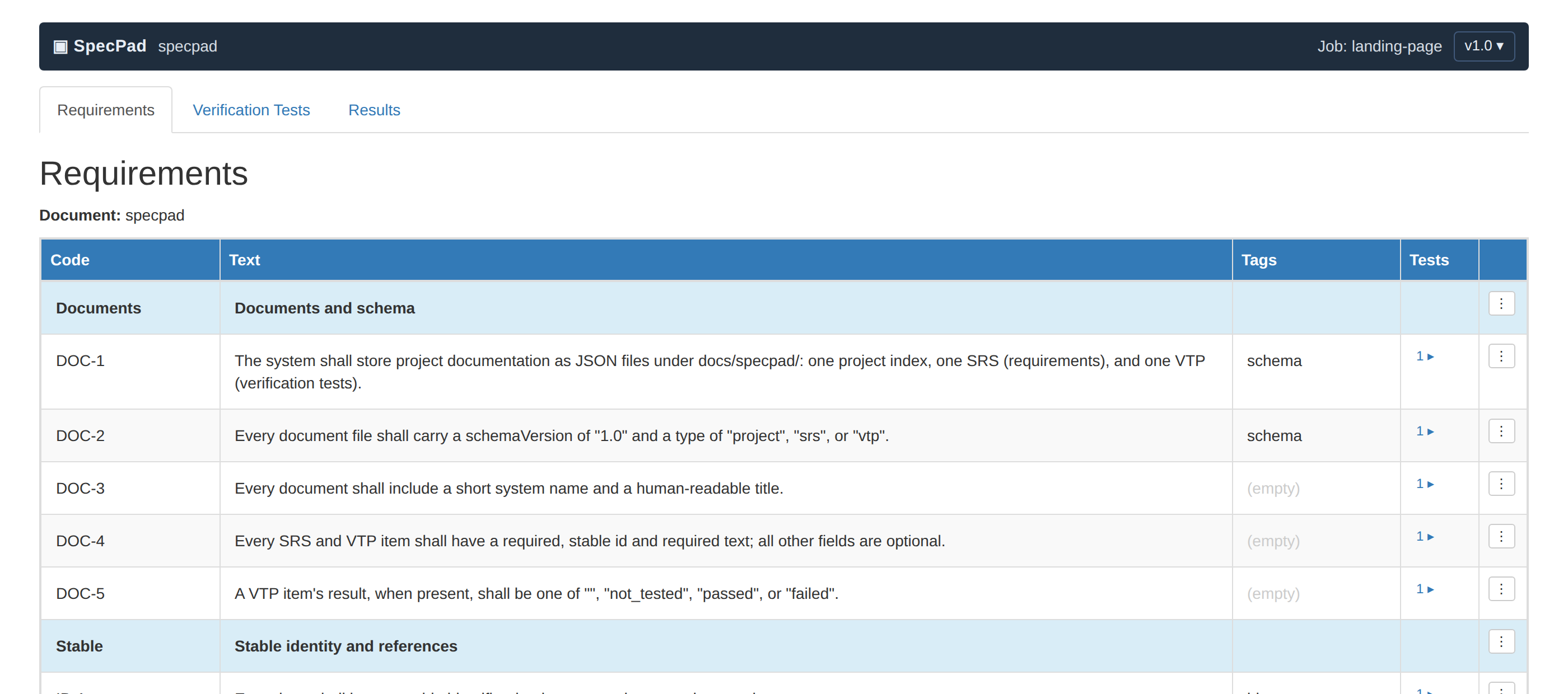
A spreadsheet-fast table for your SRS and VTP. The editor opens files straight from your repo — no server, no import, nothing leaves your machine.
$ git log docs/specpad/srs.json
Requirements, detailed design, software risk, third-party software, cybersecurity and verification — one traced chain, as schema-validated JSON in your repo, captured by a Claude skill as you build and reviewed by humans in a visual editor. Conformity reported clause by clause against IEC 62304 and the FDA software, cybersecurity and off-the-shelf guidances. The core is domain-neutral, so it works anywhere; the regulated depth is what it was built for.
MIT Free and open source — github.com/pizzaow/specpad
## How it works
The skill edits programmatically; humans review visually. Both obey the same schema and governance rules — and git keeps the history.
## In depth
Each of these is a page rather than a paragraph, because each is a decision with a reason behind it — and the reasons are what a reviewer asks about.
Product need → requirement → design → verification, with risk and threat controls resolved backwards onto the requirement. Stored once, by stable identifier.
Read moreIEC 62304 and three FDA guidances, clause by clause, with each status derived from the project rather than asserted. Nothing is ever reported as a gap.
Read moreA threat model rated on exploitability, controls grouped by FDA category, architecture views with labelled diagrams, and the §V.C security testing taxonomy.
Read moreThe clause 7 slice with no probability on it, third-party software with real end-of-life dates, and units that carry acceptance criteria.
Read moreYour repository, your identity provider, per-user working copies, a server-side commit gate, and merging that never touches text.
Read moreA browser editor with nothing to install and nothing stored, or one container image you run yourself. Both open the same documents.
Read more## Features
Each capability twice over — what you see in the editor, and the mechanism behind it.
A spreadsheet-fast table for your SRS and VTP. The editor opens files straight from your repo — no server, no import, nothing leaves your machine.
The Claude skill reads and writes the same files. Finish a change, say “update the spec” — requirements and tests stay current without leaving the terminal.
> update the spec for the new export flow

✓ updated specpad.srs.json (2 requirements)
✓ updated specpad.vtp.json (2 tests)
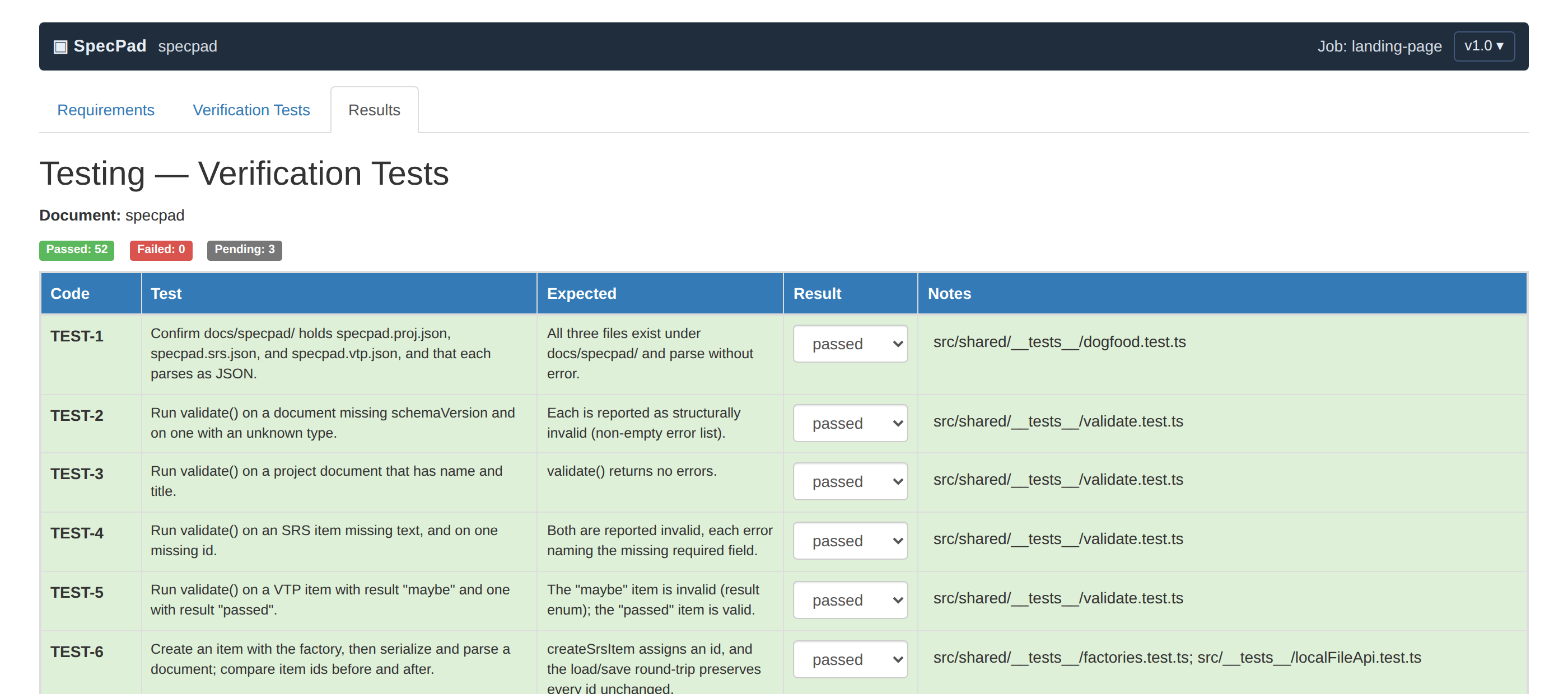
✓ validation + governance cleanEvery test declares what it verifies, linked by stable ids that survive renames. Governance checks flag untested requirements before an auditor does.
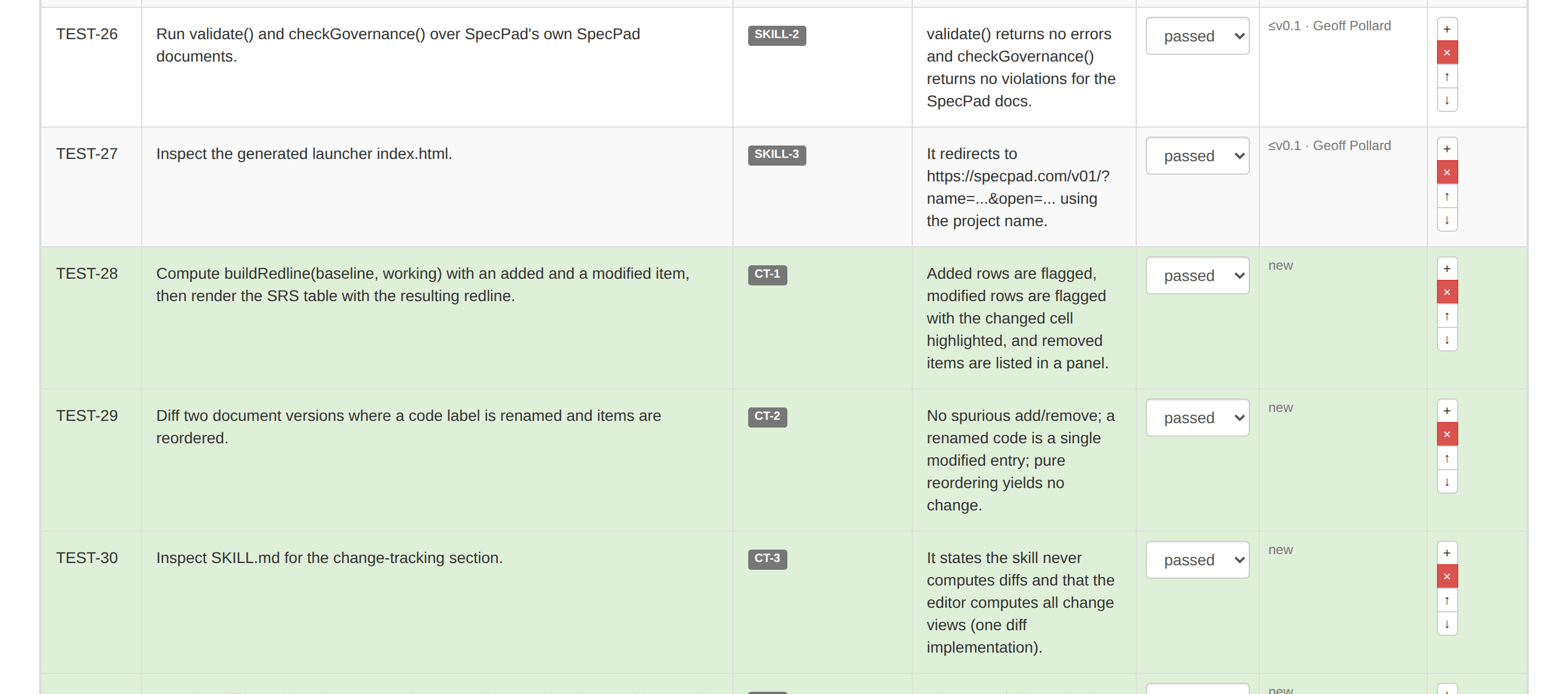
The editor diffs your working copy against the released baseline — see exactly what changed since the last release, with no hand-maintained change tables.
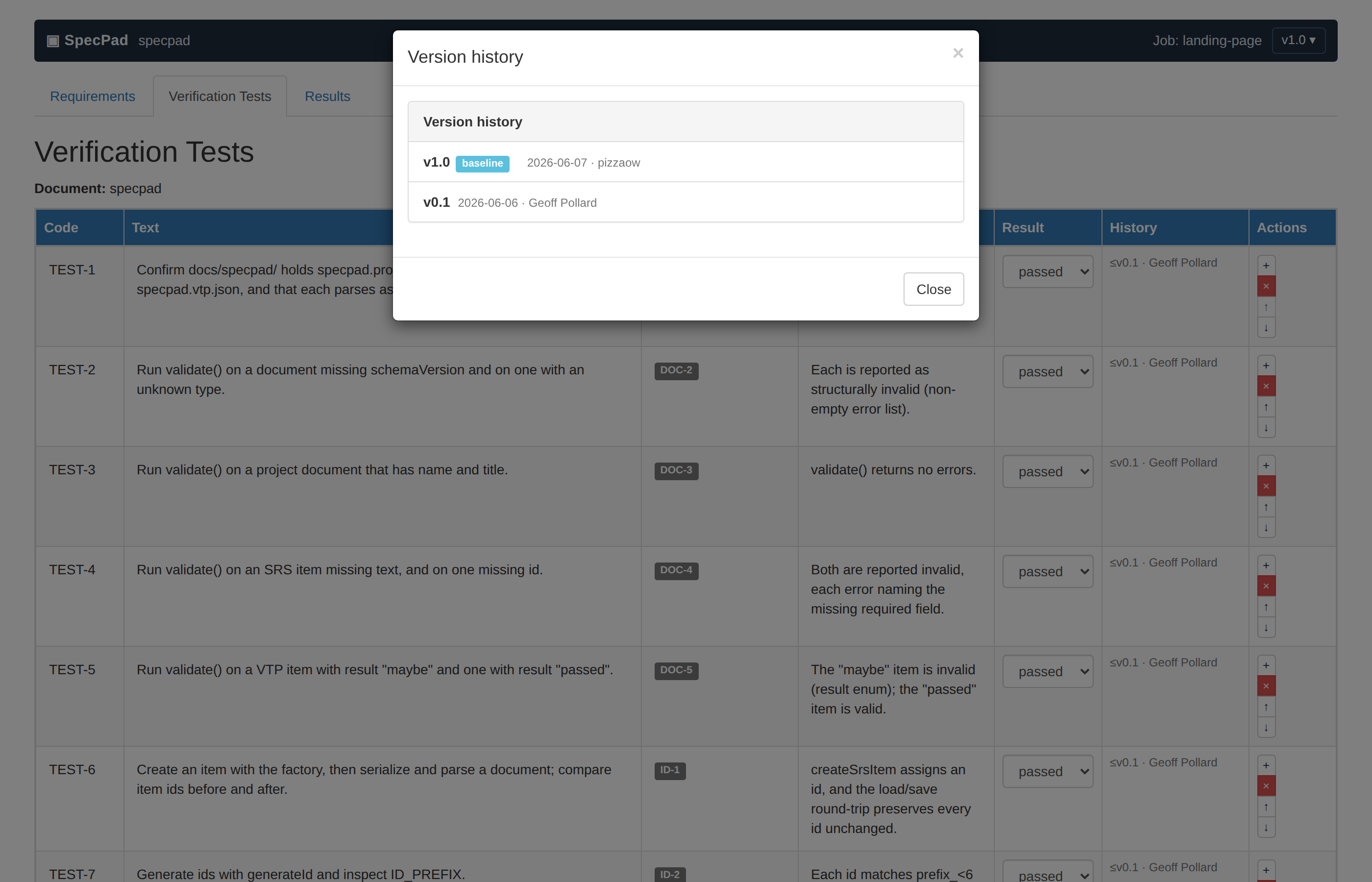
Releases are just git tags. SpecPad snapshots each one, so any past revision is one click away — author and date come from the commit itself.
Associate working changes with a job — a ticket key, an issue number — so every requirement edit traces back to why it happened.

JSON Schema catches malformed files; governance rules catch broken links, missing expected results, and untraceable requirements. The skill and the editor run the same checks from one shared module.

## The full picture
Every artifact a design-controls reviewer expects — and that good engineering wants anyway — living in your repo, kept current by the working loop.
## Who it’s for
IEC 62304 clause by clause, ISO 13485 §7.3 design controls, the FDA software, cybersecurity and off-the-shelf guidances — with the evidence traced end to end, and without standing up heavyweight tooling.
The same rigor is just good engineering practice: specs that can’t silently rot, tests that can’t silently detach.
## Get started
into ~/.claude/skills/
set up specpad in your repo